WireGuard vs. OpenVPN: Which VPN Protocol Is Better?
Every VPN review mentions "protocols." Here's the plain-English version: WireGuard is the fast, modern default; OpenVPN is the older, endlessly configurable veteran.
By Himanshu Bhatt· 5 min read· August 9, 2026

- A VPN "protocol" is the ruleset that builds and secures the encrypted tunnel.
- WireGuard** is modern, very fast, lightweight, and great on mobile battery — the sensible default.
- OpenVPN** is older but battle-tested and highly configurable, and can better disguise itself to bypass blocks.
- Both are secure when implemented correctly — the provider's quality matters more than the badge.
- Most people should use WireGuard; reach for OpenVPN when you need its flexibility or obfuscation.
On this page(show)(close)
When a VPN review talks about "protocols," it means the underlying ruleset that builds and secures the encrypted tunnel — how your device and the VPN server agree to scramble data and pass it back and forth. Today two protocols dominate: WireGuard, the fast, modern newcomer, and OpenVPN, the older, endlessly configurable workhorse. Neither is broken or unsafe; they're simply different trade-offs between raw speed and flexibility.
If encryption is the lock on your data, the protocol is the blueprint for the whole delivery system — how the box is sealed, how the courier and warehouse verify each other, and how they keep the line open. You almost never have to think about this directly: good VPN apps pick a sensible protocol for you. But understanding the two names you'll see everywhere makes VPN reviews far less mysterious.
WireGuard: fast and lean
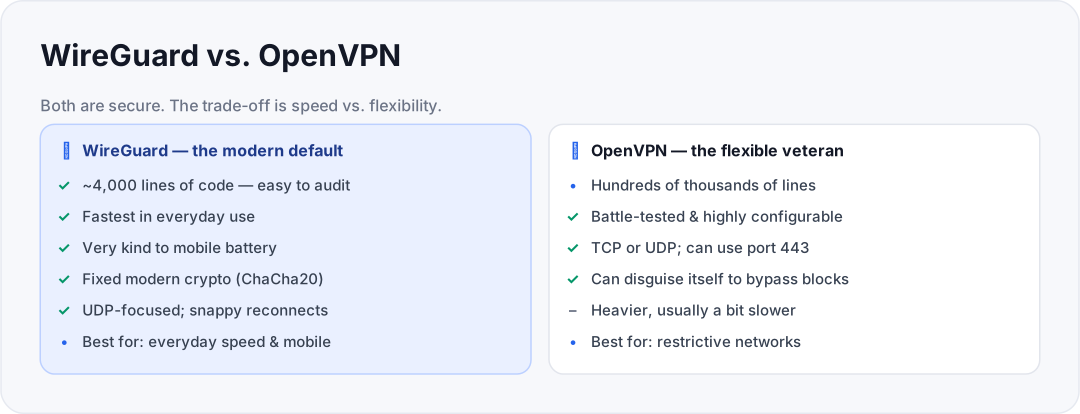
WireGuard is a newer protocol built deliberately to be small and fast. Its codebase is a tiny fraction of OpenVPN's — roughly 4,000 lines of code, against hundreds of thousands for OpenVPN (OpenVPN's core runs to tens of thousands of lines, and far more once its dependencies are counted) — and that leanness has two payoffs: security researchers can audit the whole thing far more easily, and it runs light on your device, which is especially kind to phone battery. In everyday use, WireGuard is usually the quickest option and reconnects almost instantly when you switch networks.
The trade-off is intentional rigidity. Rather than letting you mix and match encryption settings, WireGuard uses a fixed set of modern cryptography (such as ChaCha20 for encryption). That sounds limiting, but it's a feature: fewer options means fewer ways to misconfigure it insecurely, and less code to go wrong. The main practical downside is that, by design, it's harder to disguise — on networks that actively hunt for and block VPN traffic, WireGuard can be easier to spot.
OpenVPN: proven and flexible
OpenVPN has been around far longer and has been battle-tested across countless networks and devices — it's the veteran that earned trust the slow way. Its great strength is configurability: it supports a wide range of encryption options and can run over either TCP (more reliable) or UDP (faster). That maturity is why so many providers still offer it as a rock-solid fallback.
OpenVPN's standout trick is blending in. Because it can run on common ports like 443 — the same port normal secure websites (HTTPS) use — its traffic can look like ordinary web browsing, which helps it slip past networks and countries that try to block VPNs outright. The cost of all this flexibility is weight: OpenVPN is heavier and typically a bit slower than WireGuard, and it's gentler on battery only relative to older protocols, not to WireGuard.
Side by Side
| WireGuard | OpenVPN | |
|---|---|---|
| Speed | Faster, snappy reconnects | Good, usually a bit slower |
| Codebase | Small, easy to audit | Large, mature, well-tested |
| Battery (mobile) | Very efficient | Heavier |
| Configurability | Minimal (by design) | Extensive |
| Ports / transport | UDP-focused | TCP or UDP, incl. port 443 |
| Evading VPN blocks | Limited | Better (can mimic HTTPS) |
| Best for | Everyday speed & mobile | Flexibility & restrictive networks |
Which should you pick?
Choose WireGuard when…
- You want the fastest everyday speeds and the best battery life on mobile.
- You're on a normal home, office, or public network that doesn't actively block VPNs.
- You just want a sensible default and don't want to fiddle — which is most people.
Choose OpenVPN when…
- You're on a restrictive network (some workplaces, schools, or heavily censored regions) that blocks VPN traffic.
- You need its configurability or want traffic that can masquerade as ordinary HTTPS.
- WireGuard won't connect reliably and you need a proven fallback.
Quick glossary
- VPN protocol — the ruleset that builds and secures the encrypted tunnel between you and the VPN server.
- WireGuard — a modern, lean, fast protocol with a fixed set of up-to-date cryptography.
- OpenVPN — an older, highly configurable, battle-tested protocol that can disguise its traffic.
- IKEv2/IPsec — another common protocol, fast and good at surviving network switches on mobile.
- UDP / TCP — two ways to send data: UDP is faster, TCP is more reliable.
- Port 443 — the port normal secure websites use; running a VPN over it helps traffic blend in.
- Obfuscation — disguising VPN traffic so it looks like ordinary web traffic to slip past blocks.
- ChaCha20 — a modern encryption cipher used by WireGuard.
- Handshake — the initial exchange where your device and the server agree on keys before the tunnel opens.
Frequently asked questions
- Is WireGuard less secure because it's simpler?
- No — its smaller codebase is actually easier to audit, and its fixed modern crypto leaves fewer ways to misconfigure it. Simplicity here is a security strength, not a weakness.
- Why would I ever use OpenVPN then?
- For its flexibility and its ability to disguise traffic as normal HTTPS, which helps on networks that block VPNs.
- Which is faster?
- WireGuard is generally faster and lighter, especially on mobile, though your real-world speed depends heavily on the server and your connection.
- Do I have to choose manually?
- Usually not. Quality VPN apps default to WireGuard and let you switch protocols in settings if you need to.
- Does the protocol change how private I am?
- Both are private when done right. Privacy depends far more on the provider's logging policy and leak protection than on the protocol name.
- Will switching protocols disconnect me?
- Usually briefly, yes — changing protocol rebuilds the tunnel, so expect a short reconnect. It's harmless; your session simply re-establishes on the new protocol.
- Which protocol is best for gaming or video calls?
- WireGuard is usually the better pick for low latency and quick reconnects. Only fall back to OpenVPN if a restrictive network blocks WireGuard outright.
- Are these the only VPN protocols?
- No — older ones like L2TP/IPsec and the outdated PPTP still exist, but WireGuard and OpenVPN (with IKEv2 close behind) cover what modern providers actually recommend. Avoid PPTP; it's considered insecure.
Where to go next
Does a VPN slow your internet?
Protocol choice is a big part of the answer.
A closer look at a top provider
See these protocols in a real product.
This article was produced with AI assistance for drafting/research. All facts have been verified and the final content has been reviewed and approved by a human editor.
Test Your Knowledge
Enjoying this guide?
TechToolsHQ is an independent, reader-supported tech platform. If this article saved you time, solved a tough problem, or helped you learn a new skill, consider supporting our work. Your support helps us keep our in-depth series 100% free and updated for everyone.
Don't miss the next deep-dive
Weekly breakdowns of the tools students and builders actually use.
No spam·Unsubscribe any time·Privacy-first