Two models, one internet
Both models describe the same reality — data going down one machine’s stack, across the network, and up another’s. OSI splits that into seven layers for teaching; TCP/IP collapses it into four layers that match the protocols the internet was actually built on. Same journey, fewer boxes.
The 4 layers of TCP/IP
From the application at the top down to the wire, TCP/IP has four layers — and each maps cleanly onto one or more OSI layers.
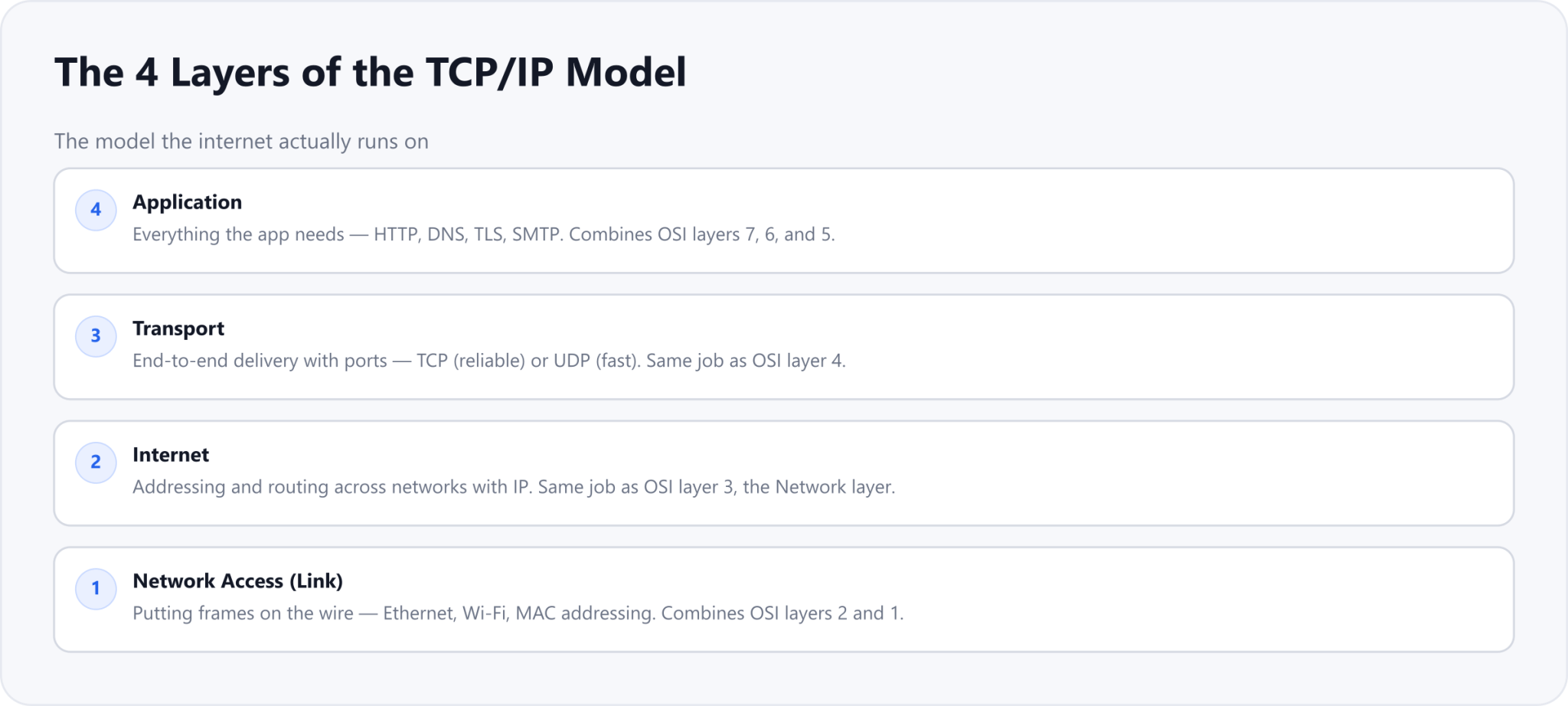
Application
HTTP, DNS, TLS - OSI 7, 6, 5
Transport
TCP or UDP, ports, segments
Internet
IP addressing and routing, packets
Network Access
Ethernet, Wi-Fi, MAC - OSI 2, 1
How TCP/IP maps to OSI
The mapping is mostly about grouping. TCP/IP folds OSI’s three upper layers (Application, Presentation, Session) into a single Application layer, and OSI’s two lowest layers (Data Link, Physical) into a single Network Access layer. The two middle layers line up one to one.
| OSI model (7 layers) | TCP/IP model (4 layers) |
|---|---|
| 7 Application · 6 Presentation · 5 Session | Application |
| 4 Transport | Transport |
| 3 Network | Internet |
| 2 Data Link · 1 Physical | Network Access (Link) |
The same data flow, via TCP/IP
Encapsulation works exactly as it did in Part 4 — each layer adds its own header on the way down, and the unit is renamed at every step. There are just fewer stops.
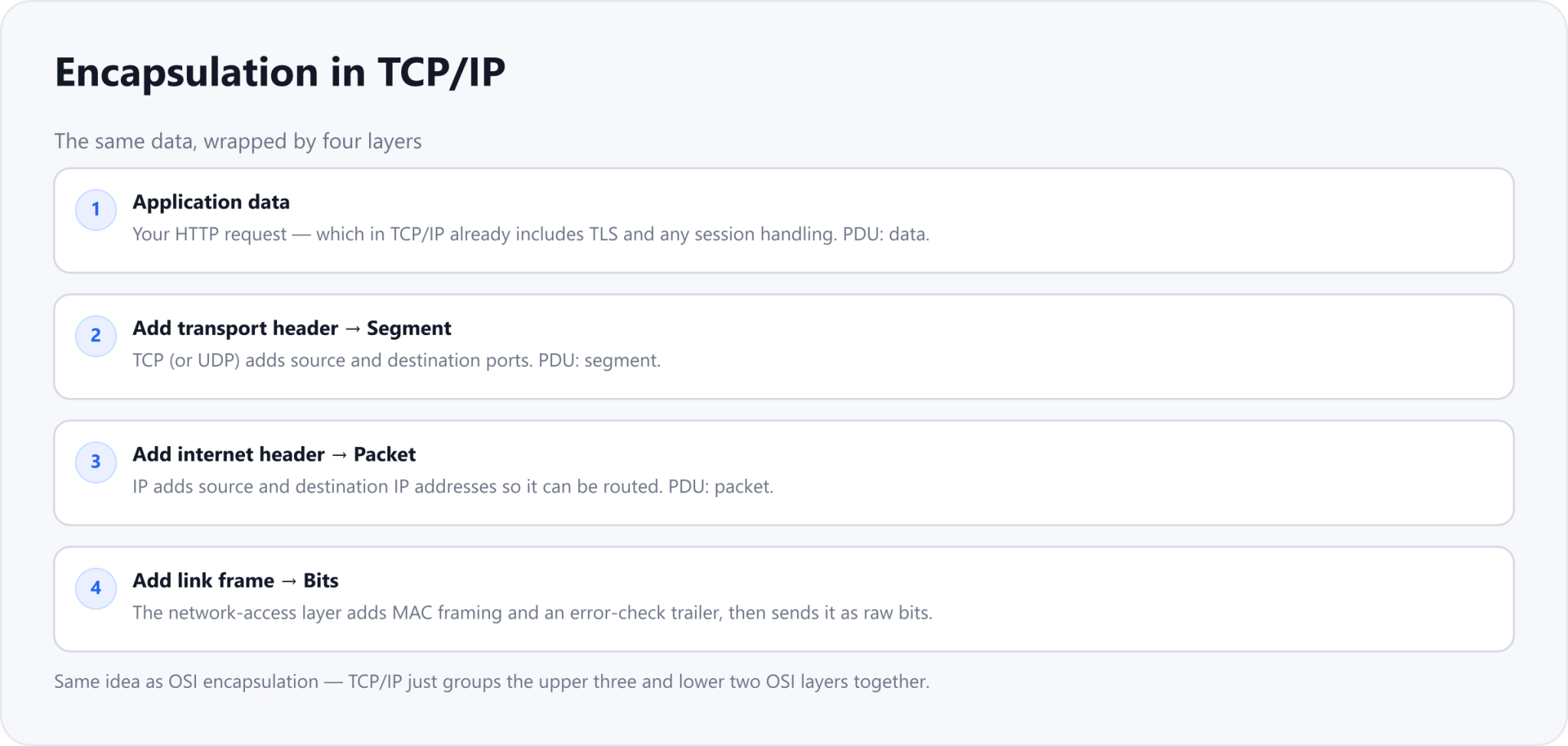
Application data is your HTTP request, TLS included
Transport adds ports, making a segment
Internet adds IP addresses, making a packet
Network access adds MAC framing and sends bits
The same example, four layers
Take the same HTTPS request from Part 4 — Machine A’s browser (192.168.1.10) to Machine B’s server (13.234.56.78) — and frame it in TCP/IP. The additions are identical; only the layer names change.
| TCP/IP layer | What is added |
|---|---|
| Application | GET / HTTP/1.1 (over TLS) |
| Transport (TCP) | src port 54321, dst port 443 |
| Internet (IP) | src 192.168.1.10, dst 13.234.56.78 |
| Network Access | src + dst MAC + FCS, then bits |
OSI vs TCP/IP: what is different
They are not competing models so much as two lenses on the same thing. The practical differences come down to how many layers each one draws and where it came from.
| Aspect | OSI | TCP/IP |
|---|---|---|
| Layers | 7 | 4 |
| Purpose | Teaching / reference model | What the internet actually runs on |
| Upper layers | Split into 3 (App, Presentation, Session) | Combined into one Application layer |
| Lower layers | Split into 2 (Data Link, Physical) | Combined into one Network Access layer |
| Origin | Defined by ISO | Grew from the internet’s own protocols |
Which one should you actually know?
Both, but for different reasons. TCP/IP is what your packets really travel through, so it is the model that matches tools like tcpdump, Wireshark, and your cloud provider’s networking. OSI is the shared vocabulary — when someone says "a Layer 7 load balancer" or "a Layer 3 route," they mean the OSI numbers. Know TCP/IP for how it works, and OSI for how people talk about it.
Drafted with AI assistance and edited by TechToolsHQ.