
What is an IP address, really?
An IP address identifies a machine on a network. That is it. Strip away the jargon and one line captures it.
192.168.1.10
10.0.0.5
13.234.56.78
Every machine that communicates on a network must have an IP address.
Local IP vs internet IP
Here is the first distinction that trips people up. Your laptop has one IP inside your local network, and possibly another IP that is visible to the internet. Why two? Because networks are layered — your laptop is not directly exposed to the internet; it sits behind a router.

- Your laptop has one IP inside the local network; the router has another the internet sees.
- Networks are layered, so your laptop is never directly exposed.
Public IP (internet-facing)
A public IP is the address the outside world uses to reach you.
- Unique on the internet — no two machines share one at the same time.
- Reachable from anywhere on the internet.
- Assigned by your ISP or your cloud provider.
- Cloud servers usually have a public IP (optional) and a private IP (always).
Private IP (internal-only)
A private IP works only inside a private network and cannot be reached directly from the internet. Three ranges are reserved for private use:
10.0.0.0     – 10.255.255.255
172.16.0.0   – 172.31.255.255
192.168.0.0  – 192.168.255.255
Your home WiFi, your office network, and cloud VPCs (Virtual Private Clouds) all use private IPs.
Why private IPs exist
The internet simply does not have enough addresses for every device. So private IPs are reused everywhere, and public IPs act as the gateways in front of them.
- Security — not everything is exposed to the internet.
- Scalability — many devices behind one public address.
- Cost efficiency — you do not need a public IP per device.
A quick preview: what NAT does
This reuse is made possible by NAT (Network Address Translation). When your laptop (192.168.1.10) sends traffic to the internet, the router translates it so it appears to come from the public IP. Many private IPs go out through one public IP.
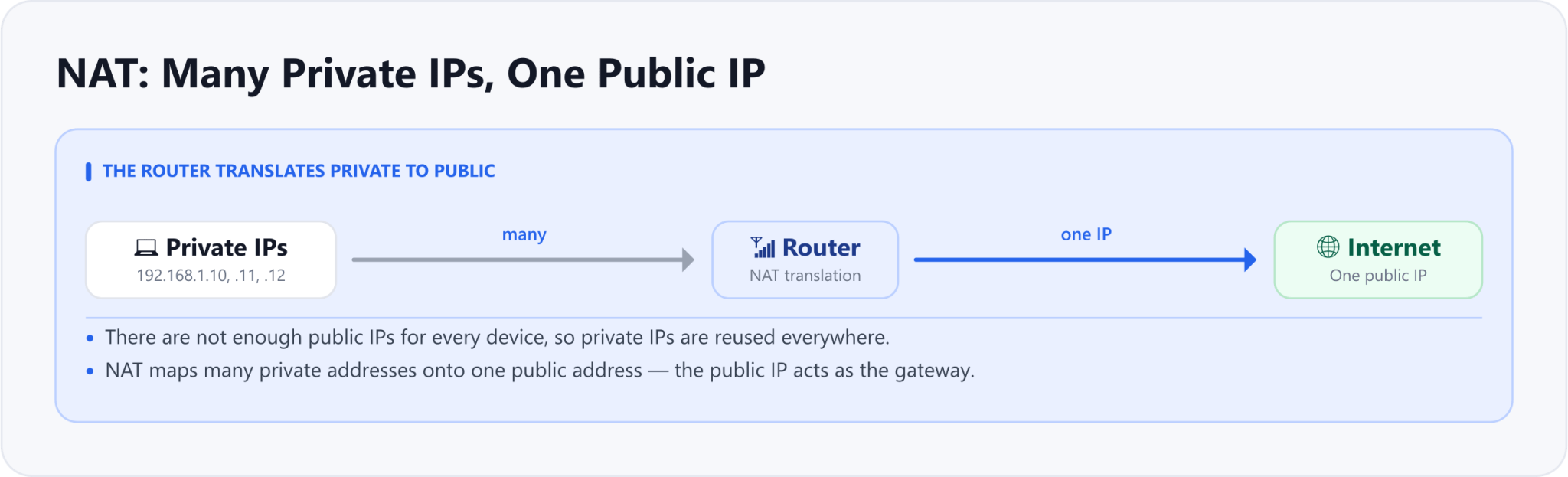
- There are not enough public IPs, so private IPs are reused everywhere.
- NAT maps many private addresses onto one public address, which acts as the gateway.
What is a port?
If an IP identifies a machine, a port identifies a program on that machine. One machine can run many applications at once, and ports are what keep them apart.
- A web server
- A database
- SSH
- A cache
The apartment analogy
A simple way to picture it: the IP address is the apartment building, and the port is the apartment number. Same building, different doors.
13.234.56.78:22    SSH
13.234.56.78:80    HTTP
13.234.56.78:443   HTTPS
Common ports every DevOps engineer should know
| Port | Purpose |
|---|---|
| 22 | SSH |
| 80 | HTTP |
| 443 | HTTPS |
| 3306 | MySQL |
| 5432 | PostgreSQL |
| 6379 | Redis |
How IP and port work together
A network connection always needs both: an IP address and a port.
ssh user@13.234.56.78     (port 22)
https://example.com       (port 443)
localhost:3000            (port 3000)
Without a port, the operating system does not know which application should receive the data.
localhost vs 127.0.0.1
When you run an application on your own laptop, this is where localhost and 127.0.0.1 come into the picture. They look interchangeable, but they are not the same thing.
What is 127.0.0.1?
127.0.0.1 is an IP address — specifically the loopback IP. Any network request sent to it comes straight back to the same machine. The request never leaves your computer: no router, no internet, no external network is involved.
What is localhost?
localhost is a hostname, not an IP. When you type localhost, your operating system translates that name into an IP address — usually 127.0.0.1. That translation happens via the hosts file: /etc/hosts on Linux and macOS, or C:\Windows\System32\drivers\etc\hosts on Windows. So when you open http://localhost:3000, the OS sees localhost, looks it up in the hosts file, resolves it to an IP, and sends the request there.

- The OS looks up localhost in the hosts file and resolves it to 127.0.0.1 or ::1.
- No router, no internet, no external network is involved.
Are they the same?
Short answer: no. 127.0.0.1 is hard-coded as the loopback IP, while localhost is configurable — your system can map it to something else. On many modern systems, localhost resolves to ::1, the IPv6 loopback address.
| Use localhost when | Use 127.0.0.1 when |
|---|---|
| Developing locally | Debugging networking issues |
| You do not care about IPv4 vs IPv6 | You want guaranteed IPv4 |
| Convenience over precision | Docker, databases, or binding issues |
Binding: 127.0.0.1 vs 0.0.0.0
This distinction shows up in server logs. If your server says it is "listening on 127.0.0.1", only this machine can reach it — it is not accessible from other devices. If it listens on 0.0.0.0, it accepts connections from any network interface.
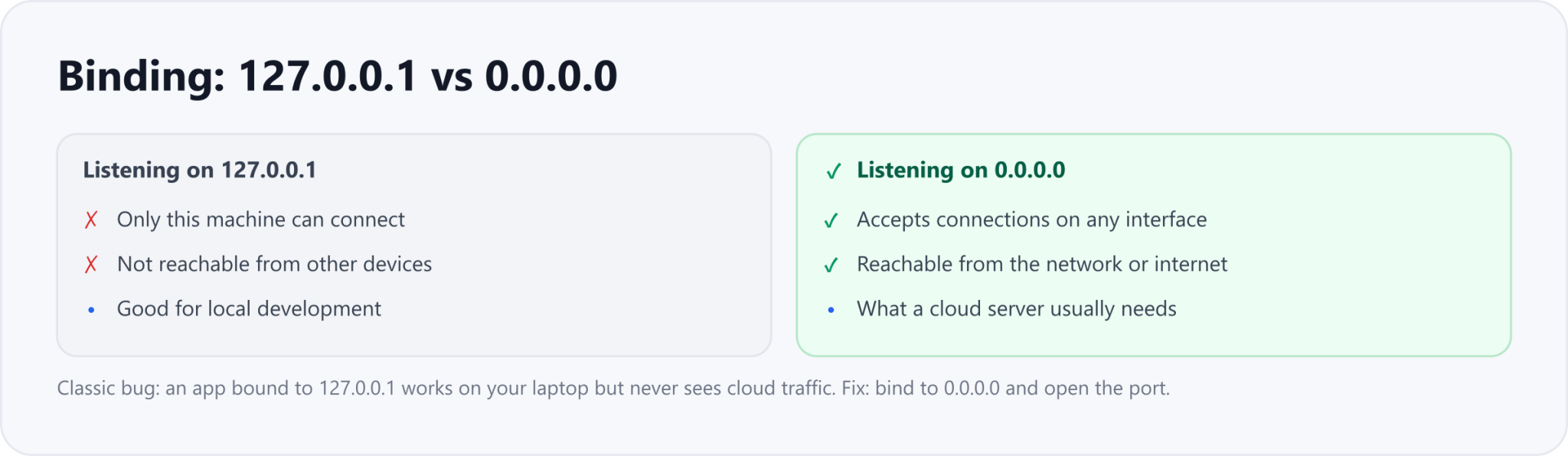
- Only this machine can connect
- Not reachable from other hosts
- Good only for local dev
- Accepts connections on any interface
- Reachable from the network or internet
- What a cloud server usually needs
A classic DevOps failure
The single most common version of this bug: your app works on your laptop but not on the cloud server. What is happening is that the app is listening on localhost, cloud traffic arrives at the public IP, and the app never sees it.
- Bind the app to 0.0.0.0 instead of localhost.
- Open the correct port.
- Allow the traffic in the firewall or security group.
Hands-on commands
A few commands to check all of this yourself — your own IPs, what is listening, and whether a remote port is open.
# Check your IP addresses
ip addr        # Linux
ifconfig       # macOS

# See which ports are listening
ss -tuln
# or
netstat -tuln

# Test whether a remote port is open
nc -vz 13.234.56.78 443Drafted with AI assistance from an author outline and edited by TechToolsHQ.